
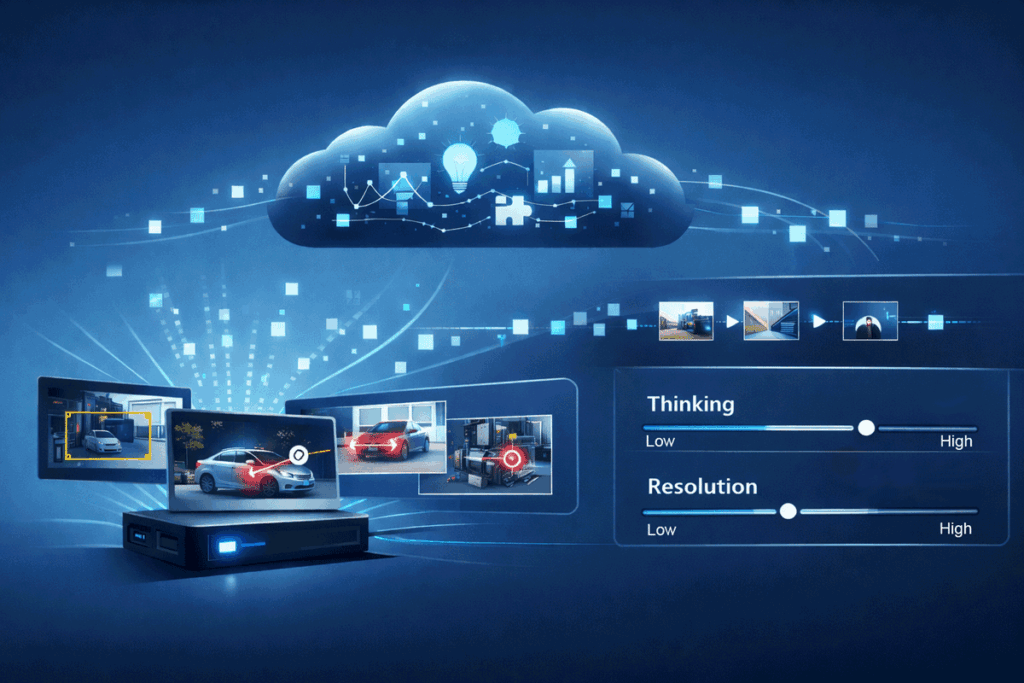
For those who missed it in the holiday haze, Google’s Gemini 3 Pro launched on December 5th, but the push on vision isn’t just “better VQA.” Google frames it as a jump from recognition to visual + spatial reasoning, spanning documents, spatial, screens, and video.
If you’re building edge AI products, that matters less as a benchmark story and more as a systems story: Gemini 3 Pro changes what belongs on-device versus in the cloud, and it introduces a few new control knobs that make cloud-assist viable in real deployments (not just demos).
Below are three system patterns that fall out of those capabilities—patterns you can implement today without waiting (or at least, while you wait) for VLMs on the edge.
Pattern 1: “Edge as sampler” — event-driven video triage + cloud video reasoning
What changed
There are three specific upgrades in Gemini 3 Pro’s video stack:
- High frame rate understanding: optimized to be stronger when sampling video at >1 fps, with an example of processing at 10 FPS to capture fast motion details.
- Video reasoning with “thinking” mode: upgraded from “what is happening” toward cause-and-effect over time (“why it’s happening”).
- Turning long videos into action: extract knowledge from long videos and translate into apps / structured code.
The system pattern
Most edge systems can’t (and shouldn’t) stream raw video to the cloud. But they can do something more powerful:
- Always-on edge perception runs efficient models: motion/occupancy, object detection, tracking, anomaly scores, scene-change detection.
- When something interesting happens, the edge device becomes a sampler:
- selects which camera(s)
- selects when (pre/post roll)
- selects how much (frames, crops, keyframes, short clip)
- A cloud call to Gemini 3 Pro does the expensive part:
- produce a semantic narrative (“what happened”)
- infer causal chains when appropriate (“why it happened”)
- output structured artifacts: incident report JSON, timeline, suspected root causes, recommended next action, even code scaffolding for a UI or analysis script.
This is the pattern that turns large multi-modal models into an operational feature: the edge device controls the firehose, and the cloud model supplies interpretation.
The 2026 unlock: bandwidth → tokens becomes a controllable dial
Gemini 3’s Developer Guide documents media_resolution, which sets the maximum token allocation per image / frame. For video, it explicitly recommends media_resolution_low (or medium) and notes low and medium are treated identically at 70 tokens per frame—designed to preserve context length.
So you can build a deterministic budget:
- 10 FPS at 70 tokens/frame ≈ 700 tokens/second of video, plus overhead for prompt/metadata.
- A 10-second clip ≈ 7k video tokens (again, plus overhead).
- With published Gemini 3 Pro preview pricing listed at $2/M input tokens and $12/M output tokens (for shorter contexts), you can reason about per-event cost instead of guessing.
That makes “cloud assist for the hard 5%” a productizable design choice, not a finance surprise.
Implementation notes edge teams care about
- Use metadata aggressively: send object tracks, timestamps, camera calibration tags, and anomaly scores; ask Gemini for outputs that your pipeline can consume (JSON schema, severity labels, confidence fields).
- Don’t default to high-res video: treat media_resolution_high as an exception path for cases that truly need small-text reading or fine detail.
- Start with “low thinking” for triage (classify, summarize, extract key moments), then escalate to “high thinking” only when you need multi-step causal reasoning. Gemini 3 defaults to high unless constrained.
Pattern 2: Grounded perception-to-action loops — Gemini plans, the edge executes
What changed
In the “Spatial understanding” section, Google highlights two capabilities that map directly to robotics, AR, industrial assistance, and any “human points at something” workflow:
- Pointing capability: Gemini 3 can output pixel-precise coordinates; sequences of points can express trajectories/poses over time.
- Open vocabulary references: it can identify objects/intent in an open vocabulary and generate spatially grounded plans (examples include sorting a messy table of trash, or “point to the screw according to the user manual”).
The system pattern
This enables a clean split of responsibilities:
- Gemini 3 Pro: perception + reasoning + grounding
- “what is this?”
- “what should I do?”
- “where exactly?” (pixels / regions / ordered points)
- Edge device: control loop + safety + verification
- pixel→world transforms, calibration, latency-sensitive tracking
- actuation gating, safety interlocks, rate limits
- confirm success with local sensing (don’t trust a single shot)
Think of Gemini as generating a candidate plan and grounded targets. The edge system decides whether it’s safe and feasible, executes it, then checks the result.
Why this matters for CV/edge AI engineers
Pixel coordinates are the missing bridge between “VLM says something” and “system does something.” Once you can get coordinate outputs reliably, you can:
- overlay UI guidance (“click here,” “inspect this region,” “tighten this fastener”)
- drive semi-automated inspection (“sample these ROIs at higher res,” “reframe the camera”)
- generate training data: use Gemini suggestions as weak labels, then validate with classic vision + human review
And because Gemini 3 Pro’s improvements include preserving native aspect ratio for images (reducing distortion), you can expect fewer “wrong box because the image got squashed” failures in real pipelines.
Where teams get burned
- Coordinate systems are not your friend. You’ll want a small, boring layer that:
- normalizes coordinates to original image dimensions
- tracks crop/resize transformations
- carries camera intrinsics/extrinsics for world mapping
- Verification is mandatory. Treat Gemini outputs as proposals. Use local sensing to confirm before any irreversible step.
Pattern 3: A token/latency control plane — make cloud vision behave like an embedded component
Gemini 3 isn’t just adding capability; it’s adding control surfaces that make the model operationally tunable.
The knobs Google is giving you
From the Gemini 3 Developer Guide:
- thinking_level: controls maximum depth of internal reasoning; defaults to high, can be constrained to low for lower latency/cost.
- media_resolution: controls vision token allocation per image/frame; includes recommended settings (e.g., images high 1120 tokens; PDFs medium 560; video low/medium 70 tokens per frame).
- Gemini 3 Pro preview model spec: 1M input / 64k output context, with published pricing tiers (and a Flash option with lower cost).
The system pattern
Add a small service you can literally name Policy Router:
Inputs: task type, SLA (latency), budget, privacy tier, media type, estimated tokens
Outputs: model choice, thinking_level, media_resolution, retry/escalation policy, output schema
A simple three-tier policy is enough to ship:
- Fast path (interactive loops)
- thinking_level=low
- video media_resolution_low
- strict JSON output, minimal verbosity
- Balanced path (most workflows)
- default thinking
- image media_resolution_high (Google’s recommended setting for most image analysis)
- Google AI for Developersricher structured outputs
- Deep path (rare but decisive)
- thinking_level=high
- selective high-res media or targeted crops
- multi-step reasoning prompts + verification questions
A practical note on “agentic” workflows
Google’s Gemini API update post also flags thought signatures (handled automatically by official SDKs) as important for maintaining reasoning across complex multi-step workflows, especially function calling.
If you’re building a multi-call agent that iterates on clips/ROIs, don’t accidentally strip the state that keeps it coherent.
Closing: what edge teams should do next
If you only take one idea into 2026: Gemini 3 Pro Vision is most valuable when you treat it as a controllable coprocessor, not a replacement model. The edge still owns sensing, latency, privacy boundaries, and actuation. Gemini owns the expensive interpretation—and now gives you the knobs to keep it within budget.
A good first milestone:
- implement the Policy Router
- ship event-driven video sampling
- add pixel-coordinate grounding to one workflow (overlay guidance, ROI selection, or semi-automated inspection)
That’s enough to turn the “vision AI leap” into a measurable product feature instead of a demo reel.
Further Reading:
https://blog.google/technology/developers/gemini-3-pro-vision
https://developers.googleblog.com/new-gemini-api-updates-for-gemini-3
https://ai.google.dev/gemini-api/docs/gemini-3
https://ai.google.dev/gemini-api/docs/thinking
https://developers.googleblog.com/building-ai-agents-with-google-gemini-3-and-open-source-frameworks
https://blog.google/products/gemini/gemini-3
https://blog.google/technology/developers/gemini-3-developers
https://cloud.google.com/vertex-ai/generative-ai/pricing
https://ai.google.dev/gemini-api/docs/pricing